
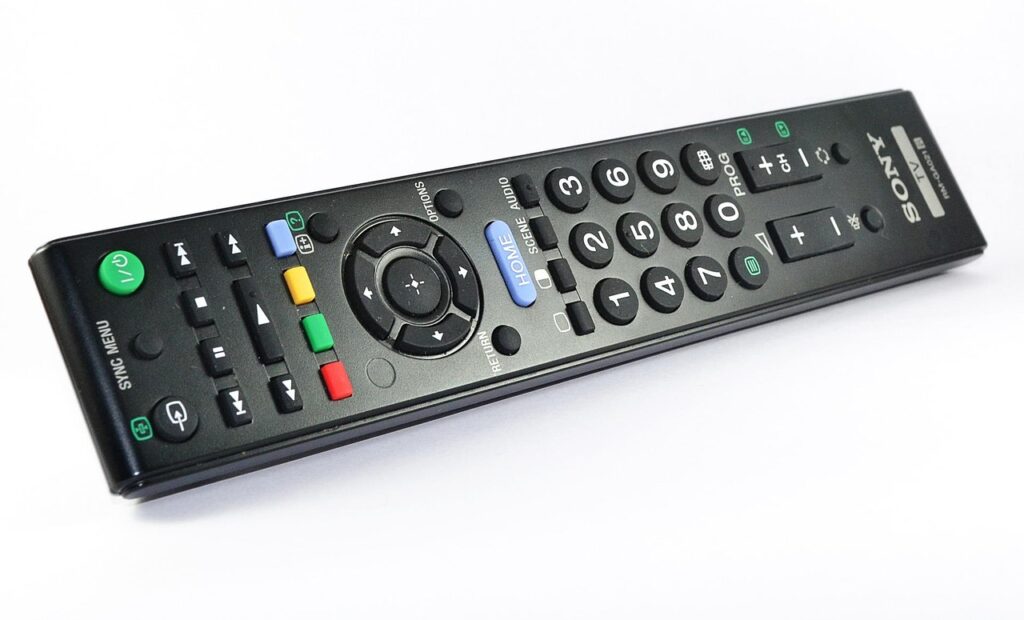
What a spinal cord stimulation remote control actually does
A spinal cord stimulation remote control is more than a convenience accessory. It is the patient-facing control point for an implanted pulse generator that delivers electrical stimulation through leads placed near the spinal cord. In most systems, the remote or patient programmer lets the patient turn therapy on or off, adjust stimulation within clinician-set limits, choose among programmed therapy options, check battery or device status, and, for some devices, place the system into MRI mode before imaging.
The limitation is just as important as the function. The remote control does not replace clinical programming, medical evaluation, or the device-specific instructions supplied by the manufacturer. FDA device summaries and manufacturer patient guides describe the remote as a wireless or patient-operated controller that communicates with the implanted generator and sends stimulation parameters selected for that patient. (fda.gov)
For readers following broader spinal devices trends, the remote control is a useful lens for where implantable neuromodulation is moving: smaller implanted components, more software-defined therapy options, and greater reliance on patient-facing electronics.
Why the remote matters beyond basic convenience
The remote control is often treated as an accessory, but it sits at the intersection of usability, safety, therapy adherence, and device continuity. A patient may use it many times in ordinary life, while a clinician programmer may only be used during appointments. That makes remote-control design especially important for people with chronic pain, limited mobility, vision difficulties, reduced dexterity, or anxiety about implanted electronics.
Its role also changes over time. During the trial or early implant period, the remote helps the patient understand therapy coverage and tolerability. After implantation, it becomes the routine tool for managing daily changes in posture, activity, and symptoms. During imaging, travel, or suspected malfunction, it can become a safety-critical device. Manufacturer guidance commonly emphasizes actions such as keeping the controller charged, maintaining pairing, bringing it to MRI appointments when instructed, and contacting the care team when warning screens appear. These are practical safety steps, not minor operating details; they affect whether therapy can be adjusted, paused, restarted, or prepared for a medical procedure.
Core functions and what they mean in practice
The exact interface differs by manufacturer and model. Some systems use a dedicated handheld remote. Others use a patient controller based on a mobile device or app. Older systems may require the controller to be held directly over the implant, while newer systems may use other forms of wireless communication. Despite these differences, the most common patient-facing functions fall into a few categories.
| Remote-control function | What it usually allows | Important limitation |
|---|---|---|
| Therapy on and off | Starts or stops stimulation when the system is available and properly connected. | Turning stimulation off does not treat the underlying condition and may need to be done only in specific situations, such as imaging instructions. |
| Intensity adjustment | Raises or lowers stimulation strength within limits set by the clinician. | Large or rapid changes can cause discomfort; some guides advise reducing amplitude before changing certain parameters. |
| Program or group selection | Switches among pre-programmed therapy options for different pain areas, postures, or activities. | Patients generally choose among options rather than creating full clinical programs from scratch. |
| Battery and status checks | Shows controller battery, implant battery, communication status, or warning messages. | A low battery or warning message may require charging, replacement planning, or clinical support. |
| MRI mode or scan preparation | For eligible systems, places the implant in a mode required before MRI scanning. | Eligibility is device-specific; remote controls and chargers should not enter the MRI scanner room. |
Medtronic patient materials, for example, describe parameters such as amplitude, pulse width, and rate. Boston Scientific patient support materials describe everyday use for therapy on or off, stimulation strength, and pre-created programs or schedules. Together, these examples reflect a broader industry pattern: the patient remote usually exposes controlled choices rather than unrestricted engineering access. (asiapac.medtronic.com)
MRI mode is the most safety-sensitive remote-control workflow
MRI compatibility has become a major selection and follow-up issue for spinal cord stimulation systems because many chronic pain patients may need advanced imaging during their lifetime. However, MRI conditionality is not the same as universal MRI safety. The exact implant model, lead configuration, body region to be scanned, scanner conditions, battery level, and device mode may all matter.
Manufacturer instructions commonly require the patient to bring the remote control or therapy controller to the MRI appointment, use it to enable MRI mode when appropriate, and keep external controllers, chargers, and programmers out of the scanner magnet room. Boston Scientific patient support information, for instance, states that certain systems require MRI mode to be enabled with the remote or therapy controller, that therapy turns off in MRI mode, and that the scan should not proceed if the patient cannot enter MRI mode. (bostonscientific.com)
Abbott MRI support materials and an FDA recall notice show why controller pairing and app status can become clinically significant. In the 2023 Abbott Proclaim and Infinity recall, FDA described situations in which a patient controller based on an iPhone or iPod could lose the ability to communicate with the implanted pulse generator while in MRI mode, including after operating system or app changes, app deletion, or deletion of Bluetooth pairing. The FDA notice also stated that if no previously paired clinician programmer was available, there might be no alternative way to exit MRI mode for affected devices. (fda.gov)
The practical takeaway is not that one control format is always safer than another. It is that MRI workflows should be treated as coordinated medical-device workflows, not as ordinary app or remote-control use. Before an MRI, patients should confirm the exact device model, carry their device identification card, charge required equipment, follow manufacturer instructions, and avoid software or pairing changes unless instructed by the care team.
Troubleshooting should start with status, distance, battery, and pairing
Many remote-control problems are simple communication or power issues, but any persistent warning should be handled according to the device-specific instructions. Manufacturer guides frequently tell patients to reposition the remote closer to the implant, synchronize again, confirm the antenna or controller connection, charge or replace controller batteries, and write down error codes before contacting support. Medtronic patient materials describe a poor communication screen as a failure to establish communication between programmer and neurostimulator, with repositioning and synchronization as corrective steps. Boston Scientific materials similarly note that some error screens indicate the controller needs to be closer to the stimulator. (asiapac.medtronic.com)
Battery messages deserve special attention because there may be two different batteries involved: the external controller battery and the implanted pulse generator battery. Rechargeable implants require regular charging according to the patient’s therapy settings and device type. Non-rechargeable implants eventually reach replacement indicators. Boston Scientific patient support information says a non-rechargeable stimulator nearing depletion may enter elective replacement indicator mode and that replacement planning should be discussed with the doctor or representative. Medtronic materials note that therapy may be lost if some rechargeable implants are not charged and that a fully depleted state can require medical follow-up. (bostonscientific.com)
A practical troubleshooting sequence is to check whether the remote itself has power, move it to the recommended position relative to the implant, confirm that the implant is charged or not near end of service, avoid deleting pairings or apps, record any code exactly as shown, and contact the managing clinician or manufacturer support if the problem persists. Patients should not attempt unauthorized modification, third-party repair, or improvised software changes. See also: Implants.
Remote controls are becoming part of a connected-device safety discussion
As spinal cord stimulation systems evolve, remote controls are increasingly tied to broader questions about software updates, mobile operating systems, wireless reliability, and cybersecurity. FDA digital health materials note that wireless technology can be used for controlling and programming medical devices, monitoring patients, or transferring device data. A PubMed-indexed review of neuromodulatory hacking reported no recorded cases of spinal cord stimulation hacking outside academic settings at the time of publication, but it also identified possible harms if stimulation parameters were manipulated, including loss of therapy, unintended stimulation, battery drain, or shock-like effects. (fda.gov)
This does not mean patients should fear their remote controls. It means manufacturers and care teams need to design for ordinary use conditions: phones get updated, batteries run low, users misplace controllers, Bluetooth pairings can be deleted, and people may not remember the difference between routine therapy mode and MRI mode. Clear screens, accessible instructions, resilient pairing, update warnings, and device-specific patient education are part of safety, not merely user experience.
For clinicians and procurement teams, the remote-control question belongs in device selection. How easy is it for a patient to understand therapy status? What happens if the controller is lost? Can the patient safely prepare for imaging? Are warnings written in plain language? How are software updates handled? What support pathways exist after business hours or during travel? These questions are especially relevant for implanted therapies where loss of control may interrupt pain relief or delay needed imaging.
Checklist for patients and care teams
The following checklist is not a substitute for a manufacturer manual or clinician instruction, but it highlights recurring issues seen across device support materials and regulatory notices.
- Keep the device identification card accessible and bring it to medical appointments, imaging visits, and airport security screening.
- Know whether the implanted generator is rechargeable or non-rechargeable, and understand what its battery alerts mean.
- Charge the remote, phone-based controller, and implant as instructed before appointments where device communication may be needed.
- Do not delete controller apps, Bluetooth pairings, or generator listings unless the care team or manufacturer support instructs you to do so.
- Before MRI, confirm the exact model and MRI eligibility; do not assume that all SCS systems are MRI compatible.
- Use MRI mode only as instructed and keep external controllers and chargers out of the scanner room.
- For CT scans or other procedures, tell the ordering doctor and technologist that you have an implanted neurostimulator; the FDA says CT-related malfunction appears extremely unlikely, but communication and safe device handling reduce risk. (fda.gov)
- Record warning codes or unusual messages before calling the clinician, manufacturer patient support, or representative.
- Report sudden loss of therapy, uncomfortable stimulation, inability to communicate with the implant, or repeated battery warnings promptly.
Frequently asked questions
Can a spinal cord stimulation remote control change all therapy settings?
No. Most patient remotes allow only selected changes within limits set by the clinician, such as turning therapy on or off, changing stimulation strength, or selecting from programmed options. Deeper programming is usually handled by a clinician programmer during follow-up visits.
What should a patient do if the SCS remote is lost or broken?
The safest step is to contact the implanting or managing clinician and the manufacturer’s patient support channel. A replacement may need to be linked to the implanted generator. Patients should not buy or use an unverified controller without confirming compatibility and proper pairing.
Does MRI mode mean the system is safe for every MRI scan?
No. MRI mode is only one part of an MR Conditional workflow. The device model, leads, implant location, scanner settings, scan region, battery level, and manufacturer instructions may all determine whether a scan can proceed. If the system cannot enter the required mode, the scan should not proceed until the care team resolves the issue.
Why does the remote sometimes fail to communicate with the implant?
Common reasons include low controller battery, low implant battery, distance or positioning problems, antenna or accessory issues, lost pairing, software changes, or a device warning condition. Repositioning and charging may solve simple issues, but repeated communication failures should be escalated.
Are phone-based patient controllers safe?
Phone-based controllers can be appropriate when designed, cleared, and supported for the specific implant system. Their safety depends on controlled software, pairing, user instructions, update management, and manufacturer support. The most important rule is to follow device-specific instructions and avoid app, operating system, or pairing changes during safety-critical workflows such as MRI mode unless instructed.
The bottom line
The spinal cord stimulation remote control is the everyday bridge between implanted hardware and patient-managed therapy. Its value lies in controlled flexibility: it lets patients respond to daily pain patterns while keeping critical programming within medical limits. Its risks arise when status messages are ignored, equipment is not charged, pairings are deleted, or imaging workflows are treated casually. For patients, clinicians, and device developers, the remote control should be viewed as part of the therapy system itself. Good design, clear education, and careful handling can reduce preventable interruptions and help the implanted system deliver consistent, manageable neuromodulation therapy under appropriate clinical supervision.